Return to Uzone News Portal


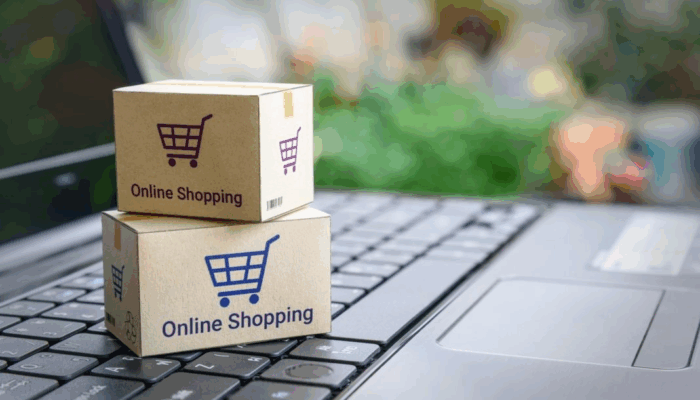
Online shopping discounts are always a highly anticipated event for many people. However, at the same time, cybercrimes tend to rise significantly. Many users, either unknowingly or knowingly but carelessly, ignore the fact that their data may have already been stolen.
To ensure your safety during online shopping, always verify the legitimacy of the website before making any transactions. Look for indicators such as the padlock symbol and “https” in the URL, which signify a secure connection. Avoid clicking on suspicious links from emails or social media ads that promise unrealistic discounts.
Cybercriminals often use phishing tactics to lure users into fake websites that mimic trusted platforms, aiming to steal login credentials and payment information. By staying cautious and verifying sources, you can significantly reduce the risk of falling victim to online scams.
Data thieves often target sensitive information such as credit card details, passwords, and other personal data stored in your online shopping accounts. Therefore, it is crucial to remain vigilant, especially when tempting discount offers appear. Keeping your online accounts secure is not only the platform’s responsibility but also a personal one.
Create Strong Passwords

You need to create a secure password by combining letters, numbers, and symbols. The use of uppercase and lowercase letters also affects password strength. A study revealed that four out of five respondents would change their passwords if a potential data breach occurred—showing relatively high awareness of cybersecurity risks.
However, beyond complex character combinations, password length also plays a critical role. Ideally, passwords should contain at least 12 characters or more, as longer passwords are much harder for hackers to crack using brute-force or automated guessing methods.
As an additional precaution, avoid using the same password for multiple accounts. If one of your accounts is compromised, your other accounts will remain secure. You can use a password manager to safely store and generate strong, unique passwords for each service.
Use Password Manager and Password Checkup
Password Manager and Password Checkup can help safeguard your credentials. These tools are available if you have previously saved your usernames and passwords on sites connected to Google services.
Password Checkup provides recommendations for users to create different passwords for each account and sends alerts if any irregularities are detected. Specifically, it identifies three key issues:
- Compromised Passwords – Alerts you when stored passwords have been leaked and published online due to third-party breaches (e.g., from e-commerce sites where you’ve registered). You should immediately replace them.
- Reused Passwords – Recommends changing passwords used across multiple accounts, as this exponentially increases security risks.
- Weak Passwords – Flags passwords that are too short or easily guessed, encouraging you to create stronger combinations.
Meanwhile, a Password Manager functions as a secure, encrypted vault for all your credentials. It can also automatically fill in strong. Unique passwords across your devices (smartphones, tablets, or laptops) linked to your Google Account. Eliminating the need to remember dozens of complex combinations.
Add an Extra Layer of Security with 2FA (Two-Factor Authentication)
Two-Factor Authentication (2FA) is a security mechanism that adds an extra verification step to better protect your account. By enabling 2FA, you significantly strengthen your defenses against unauthorized access.
The two authentication factors typically combine something you know (your password) with something you have (your phone) or something you are (your fingerprint).
The most common 2FA process works in two steps. First, you enter your password as usual. Once accepted, the system prompts you for a temporary verification code (a one-time password or OTP). This second key is usually sent via SMS to your registered phone number or generated directly through authentication apps such as Google Authenticator or Microsoft Authenticator.
Without physical access to your second device—be it a phone, security token, or biometric method—a hacker who only knows your password will be unable to access your account. This makes 2FA one of the most effective and essential defenses against hacking attempts and should be enabled on critical accounts such as shopping, banking, and email services.